Guessing your finish time is like predicting the weather during a hurricane. I’ve seen manual timers miss whole groups while people scroll through TikTok. That’s not timing – it’s like acting on the spot.
The difference between amateur and professional results can be just milliseconds. These small differences can make all the difference in winning or losing. Today, race timing is important for everyone, not just Olympians.
Good timing makes your event feel like a real competition. It’s the difference between doubting your results and trusting the fairness of the race.
Remember, in racing and in life, timing is everything. When the clock stops, it’s all about how well you timed it.
Overview of DIY Timing Systems
Forget about expensive timing gear. Making your own Arduino sports projects is like finding a secret chord. It makes everything sound better. Why spend thousands when you can make something just as good for less than a bike?
Commercial timing systems are like the rock stars of sports. They look great and cost a lot. But DIY timing is like a garage band that really knows how to play.
- Cost savings of 80-90% compared to commercial systems
- Complete freedom to customize and expand functionality
- No subscription fees or proprietary software locks
- Ability to repair and upgrade components yourself
- Bragging rights that last forever
Commercial systems are like pre-fabricated furniture. They look good in the showroom but don’t fit your space. DIY systems are like custom-built tables – they fit perfectly and can handle anything.
Building your own timing system is surprisingly simple. You need just a few things:
- Arduino microcontroller (the brains)
- Infrared sensors or laser gates (the eyes)
- Display screen or LED output (the voice)
- Power supply (the heartbeat)
These systems are very flexible. Want to add camera triggers for photo finishes? Go for it. Need to connect to your custom database? Easy. It’s your project, your rules.
The real beauty of DIY timing isn’t just saving money. It’s about making something that fits your vision perfectly. It’s like making your own instrument – the results are uniquely yours and very rewarding.
Great timing doesn’t need big corporate backing. It just needs creativity, basic skills, and the drive to build something better yourself.
Materials and Sourcing
Building your DIY track timer is like creating the Avengers team. Each part adds its own special power. With the right pieces, you’ll have a system that would impress Tony Stark.
The RFID reader is like Iron Man – it’s flashy, pricey, and does the hard work. For top-notch timing, the Zebra FX7500 is the best. It’s fast, like Quicksilver.
Your antennae are like Captain America – reliable, focused, and key for coverage. Place them right, and they’ll catch every tag perfectly.
The Smartrac Dogbone tags are like Hawkeye – tiny, precise, and affordable. They stick well and send data with Olympic-level accuracy.
LiPo batteries are your Black Widow – small, strong, and ready when needed. They give power without taking up space.
Now, let’s talk about the details that make a pro:
| Component | Specification | Approx Cost | Source Recommendation |
|---|---|---|---|
| Zebra FX7500 Reader | UHF RFID, IP67 rated | $800-1200 | Industrial RFID suppliers |
| Smartrac Dogbone Tags | UHF, adhesive backing | $0.50-1.00 each | Bulk RFID distributors |
| Directional Antenna | 9dBi gain, 60° beamwidth | $80-150 | Specialized antenna retailers |
| LiPo Battery Pack | 12V, 5000mAh | $40-70 | RC hobby stores |
| Connectors & Cables | SMA connectors, RG58 coax | $20-40 | Electronics suppliers |
Pro tip: Don’t pay full price for RFID gear. It’s like buying champagne at a club – it’s showing off. Buy from industrial suppliers and bulk distributors instead.
Look for used Zebra readers online. Businesses often upgrade, so you can find great deals. It’s like finding a vintage sports car.
Quality components are important, but they shouldn’t break the bank. Smart shopping turns a pricey project into a doable masterpiece. Even Tony Stark looks for deals.
Building with Arduino
RFID systems are big in pro racing, but Arduino is better for us. It’s like IKEA furniture for electronics – easy to use and affordable. You get all the parts and clear instructions, without the mystery.
Arduino is made in Italy and has changed electronics for the better. You don’t need to be an engineer to use it. All you need is curiosity and a desire to learn.

Arduino sports projects are great because they can grow with you. Begin with simple light gates and move to infrared systems. Soon, you can time local races with pro accuracy.
Arduino is perfect for DIY timing systems for many reasons:
- It has a huge community for help
- It works well with many sensors
- It’s very accurate
- It’s cheaper than pro gear
The Arduino Uno is the heart of your project. It handles sensor signals and acts fast. You can use it with infrared, lasers, or buttons.
Here’s what you’ll need:
- Arduino Uno board
- Infrared sensors or photoresistors
- Jumper wires and breadboard
- LED indicators for feedback
- A power source (battery or USB)
Setting up your first timing gate is like teaching a pet. It’s fun and rewarding. You’ll need to place sensors, calibrate, and test.
It’s not about being perfect. Your system might not be Olympic-grade, but it’s good enough for local races. The goal is to help athletes get better.
Arduino is amazing because it makes complex stuff easy. What starts as a simple project can grow into bigger Arduino sports projects. The same board can measure swimming and jumping.
The best part is when it works. Seeing the timer go off as an athlete crosses the line is amazing.
Programming Your Timer
Welcome to the cockpit where your Arduino becomes a race timing master. It’s not just about writing code. It’s about making your hardware understand the finish line’s rhythm.
Let’s dive into timestamp implementation. Excel’s time functions are as reliable as a weather forecast in a hurricane. We’re building something better.
- Use millis() for internal timing instead of delay() functions
- Implement epoch time conversion for human-readable results
- Add buffer protection against memory overflow
- Create failsafes for power interruptions
Data validation is key for a professional track timer. Your code should catch errors before they ruin your results.
Here are some validation protocols:
- Implement checksum verification for data integrity
- Create outlier detection for impossible time results
- Build duplicate entry prevention mechanisms
- Add sensor failure recognition routines
Excel’s VBA processing should handle your data like an archivist. We’re talking about workflows that transform raw sensor data into clean, competition-ready results.
Your data processing should include:
- Automatic lap time calculations
- Position tracking across multiple participants
- Export formatting for official results sheets
- Backup routines in case of system errors
Good race timing code anticipates failure. It questions its own results. It’s like having a skeptical friend who double-checks your math.
The best track timer systems don’t just record time. They understand racing. They know a 0.5 second lap time isn’t a record, it’s a glitch.
Test your code like it’s going to be audited by your most pedantic relative. In racing, timing errors are scandals waiting to happen.
Testing and Troubleshooting
Building DIY timing systems is tough, but testing them is even harder. Imagine standing in a muddy field, watching your gear fail to track runners. It’s like trying to catch squirrels with your high-tech gadgets.
Testing is more than just seeing if things work. It’s about making sure they can handle anything race day throws at them. It’s like a mix of quality control and stress relief.
Begin with simple checks. See if your system can detect tags. Then, test it in noisy environments. This is where you find out if your system can handle real-world challenges.
Common problems can be frustrating. They include battery drain, signal interference, weather damage, and human mistakes. These issues can make your timing system fail.
Redundancy is key to avoiding embarrassment. Always have a backup system ready. This way, if your main timer fails, your backup can take over smoothly. I learned this the hard way during a big race.
Stress testing is what separates amateur from professional DIY systems. Try out different scenarios to see how your system performs. This will help you identify and fix any issues.
| Test Scenario | Expected Result | Redundancy Check |
|---|---|---|
| Multiple tags crossing simultaneously | All tags registered accurately | Backup system matches primary count |
| Signal interference from phones | No false readings | Secondary antenna maintains accuracy |
| Extended operation (4+ hours) | Consistent performance | Battery backup engages if needed |
| Weather changes (rain simulation) | Waterproofing holds | External housing protects components |
Keep detailed records of your tests. Note the environment, any failures, and how you fixed them. This log will be your guide when you face problems later.
The goal is not to be perfect. It’s to be able to quickly identify and solve problems. In DIY timing systems, being prepared for anything is what makes you successful.
Logging Results
Timing results that look like spy codes are a big no-no. Good logging is what sets pros apart from amateurs. Your high-tech Arduino setup is useless if no one can read the results.
CSV format is your go-to for race timing data. It’s easy to read and works with everything from Excel to race management platforms. It’s like a universal passport for your data.
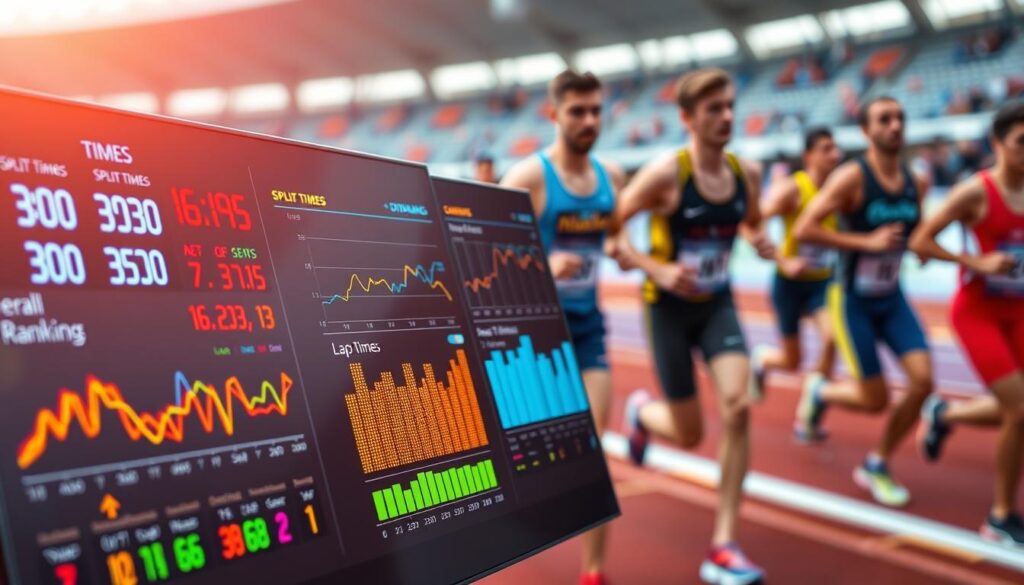
CSV is great for race timing because it’s simple and works with everything. You don’t get stuck with a system that only works for one thing.
Here’s what your race timing CSV should have:
- Bib numbers (so you can tell who’s who)
- Start times (down to the millisecond)
- Finish times (very important)
- Split times for multi-stage events
- Everything should be the same format
Processing results is where the magic is. Raw data turns into useful info for race directors. It’s the difference between “Participant #47: 00:23:17.42” and real insights.
Working with race management systems should be easy. Most accept CSV imports because they’re not crazy. The key is to keep things simple and consistent.
Pro tip: Check your output format before the race. The last thing a director wants is files that don’t work. It’s like showing up with the wrong adapter in another country.
Remember, race timing data that’s hard to understand is useless. You want it clear and simple. The best systems are the ones you don’t even notice.
Whether you’re using RunSignup, Athlinks, or a spreadsheet, keep it simple. Clean data in, clean results out. It’s not hard – it’s just good practice.
Scaling for Bigger Events
Think your single-antenna track timer setup is ready for prime time? Think again. Scaling from timing your running club’s monthly 5K to handling a championship cross country meet is like going from hosting dinner parties to running a Michelin-star restaurant. The basic ingredients remain the same, but the execution needs Broadway-level precision.
When runners finish at 90 per minute, your system needs to perform like a well-rehearsed orchestra. One missed read isn’t just a data point – it’s potentially someone’s personal best vanishing into the digital ether.
Multiple antenna setups aren’t just luxury items – they’re your insurance policy against mass finish chaos. Position antennas at different angles and heights to catch tags from various approaches. Think of it as having multiple cameras covering the same red carpet event.
For wide finish lines, space antennas 6-8 feet apart. Stagger them vertically too – one at chest height, another at knee level. This catches both the upright finishers and those doing their best impression of a collapsing deck chair.
Finish Line Configuration Strategies
Your finish line setup deserves more thought than your fantasy football lineup. Consider these configurations:
| Event Size | Antenna Count | Placement Strategy | Redundancy Level |
|---|---|---|---|
| Small (50 runners) | 1-2 | Single line coverage | Basic backup |
| Medium (200 runners) | 3-4 | Staggered height placement | Dual system recording |
| Large (500+ runners) | 5-6 | Multiple angle coverage | Full redundancy |
Handling High Volume Events
When the floodgates open, your track timer needs to drink from the firehose without choking. Implement reader arrays that can process multiple tags simultaneously. Modern UHF systems can handle dozens of tags per second – critical when packs finish together.
Redundant systems aren’t just for NASA missions. Run two timing systems parallel. If primary system blinks, secondary catches everything. It’s like having both digital and film photographers at a wedding.
Test your setup under simulated race conditions. Have volunteers run through at race pace. Better to discover gaps during rehearsal than during the actual performance.
Remember: in timing, as in life, two is one and one is none. Your track timer setup should always have a backup plan for its backup plan.
Safety & Usability
Let’s be honest: nobody wants to become a viral sensation for all the wrong reasons. Imagine explaining to your insurance agent why your homemade timing system caused chaos at the finish line. Safety isn’t just about avoiding lawsuits—it’s about making something that won’t catch fire during the big race.
Lithium polymer batteries need extra care. They’re not like the old AA batteries; they’re more like spicy pillows waiting to burst. Here’s how to handle them safely:
- Use quality chargers with overcharge protection
- Store them in fireproof containers when not in use
- Avoid puncturing or bending the cells
- Watch the temperature during long use
Weatherproofing is key for Arduino sports projects. Your timing gear will face rain, sweat, and spills. You need conformal coating on circuit boards and waterproof enclosures to keep it working.
Cable management is important. Loose wires can cause accidents. Use spiral wrap loom and bright tape for organization and visibility. Ask yourself: would this setup pass inspection at a major sporting event? If not, keep improving.
Usability is where many DIY systems fail. The best timing system is useless if it’s hard to use. Design your interface with these tips:
- Large, clearly labeled buttons for start/stop
- Visual feedback through LED indicators
- Simple reset procedures for quick error recovery
- Intuitive menu structures that don’t need a manual
Test your system with someone new. If they can’t use it in thirty seconds, go back to design. The best Arduino sports projects are easy to use. They feel like they were made by people who know sports, not just electronics.
Remember: safety and usability are not afterthoughts. They turn your clever prototype into something coaches will trust with their athletes’ data.
Conclusion
We’ve reached the end of our journey into race timing. How do homemade track timers stack up against the pros?
Let’s do the math. You can save 10-20% by making your own. That’s a big chunk of change. But the real gain is in knowing every detail of your system.
Fixing issues becomes your new favorite pastime. Unlike commercial systems, you’re in charge. When something goes wrong, you’re the one with the tools.
This isn’t just about saving money. It’s about creating something that fits your needs perfectly. Commercial systems come with their own set of problems. We built ours from scratch.
Your DIY systems might not look as polished. But they’re uniquely yours. That’s a value that can’t be beat.
Now it’s time to put your system to the test. The clock is waiting.