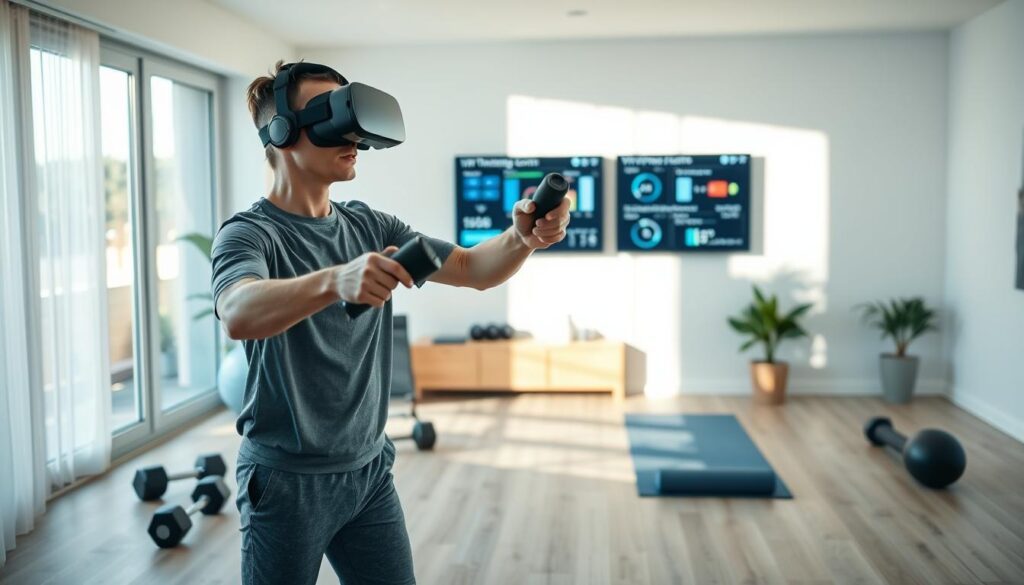
The world of sports training is changing. What used to happen only on fields, courts, or gyms can now be done at home. Virtual reality sports training has grown into a serious tool for athletes and coaches.
This tech offers specific training that regular workouts can’t provide. It focuses on deliberate practice with clear results.
To use it well, you need to know the basics. This guide will cover the key gear, the science behind it, and how to progress in drills. We aim to help you set up a strong at-home practice system confidently.
Can VR reps transfer to real play?
Many athletes wonder if VR training improves their game skills. This idea is called skill transfer. It’s about how well practice in a virtual world helps in real games.
For skill transfer to work, the VR must closely match the real game. It should feel and look like the actual sport. This way, what you learn in VR can help you in real games.
Research shows VR can help. A study on Developmental Coordination Disorder (DCD) used a VR rhythm game. Players did better in a motor test, even with their non-dominant hands.
VR also made players more excited and motivated. This is key for sticking with practice and getting better over time.
VR is great for training the brain and body for sports. It helps with scanning the field, recognizing patterns, and making quick decisions. This can improve your reaction time and decision-making in real games.
The table below shows what makes VR practice good for real games.
| Factor | High Transfer Potencial | Low Transfer Potencial |
|---|---|---|
| Task Specificity | VR drill matches real-world movement and decision context. | VR activity is generic or differs greatly from the sport. |
| Feedback Quality | Immediate, accurate feedback on form and timing is provided. | Feedback is delayed, inaccurate, or absent. |
| Perceptual Fidelity | Visual cues, depth, and opponent behavior look and feel real. | Graphics are cartoonish or physics seem “off.” |
| Cognitive Load | Drill requires sport-specific reading and anticipation. | Activity is purely repetitive with no decision-making. |
For business pros, VR training is promising but not a quick fix. It’s best for improving mental skills like perception and reaction time. It’s not for physical training or complex motor skills.
VR is a valuable tool for mental preparation. It offers many chances to practice thinking and reacting in a safe, controlled space. This makes it a good choice for training programs focused on mental skills.
Tech basics: tracking, frame rate, latency, haptics
Your VR headset is like a top-notch training partner. It tracks your moves, shows smooth visuals, responds quickly, and gives touch feedback. Knowing these basics helps you pick the best gear and enjoy every virtual workout.
This knowledge makes a confusing spec sheet easy to understand. Let’s dive into each part.
Precision Motion Tracking
Tracking lets the system see your every move. It turns your real actions into virtual ones. Most headsets use inside-out tracking, with cameras on the headset mapping your room and following your controllers.
Accurate motion tracking is key for sports drills. If your virtual swing or throw doesn’t match your real one, the training isn’t effective. Good tracking makes the virtual world feel real.
The Critical Role of Frame Rate
Frame rate shows how many images your headset displays per second. A higher rate, like 90Hz or 120Hz, makes visuals smoother. The Meta Quest 2, for example, has a 120 Hz refresh rate.
Why does this matter for training? Smooth visuals reduce eye strain and help track fast-moving virtual objects. A choppy view can break immersion and cause discomfort during intense sessions.
Why Latency is a Deal-Breaker
Latency is the delay between your action and the virtual response. It’s the lag between turning your head and the scene updating. Low latency is critical for realism and skill transfer.
High latency feels sluggish and disorienting. It can ruin reaction-time drills and cause simulator sickness. For effective training, feedback must feel immediate.
Haptic Feedback: The Sense of Touch
Haptics are the vibrations and force feedback from your controllers. This tactile response enhances the illusion. Feeling a virtual ball make contact or a racket vibrate on a serve adds a vital layer of sensory information.
While advanced suits exist, most training relies on handheld controller haptics. This feedback reinforces correct technique and enhances spatial awareness within the simulation.
| Spec Focus | Mobile/Standalone (e.g., Meta Quest) | PC-VR (e.g., Valve Index) |
|---|---|---|
| Tracking Type | Inside-out (headset cameras) | Outside-in (base stations) or inside-out |
| Typical Frame Rate | 90Hz – 120Hz | 120Hz – 144Hz |
| Latency | Very Low (wireless dependent) | Extremely Low (wired connection) |
| Haptics | Controller vibration | Advanced controller vibration & finger tracking |
| Best For | Accessibility, wireless freedom, cost-effective training | Maximum fidelity, professional simulation, ultimate precision |
This headset comparison shows how specs vary. Your choice depends on whether you value wireless ease or top-tier performance. Now you can choose based on what matters for your athletic growth.
- Tracking must be precise for skill transfer.
- Frame Rate ensures visual comfort during fast action.
- Low Latency is essential for realistic reaction training.
- Haptics deepen immersion and provide tactile cues.
What studies say on decision speed and perception–action coupling
Elite athletes don’t just move faster; they see and decide quicker. This mental edge is now trainable through virtual reality. It’s all about perception–action coupling, the direct link between seeing and acting.
Imagine a soccer goalkeeper facing a penalty kick. The brain must quickly read the shooter’s body and ball path. It then acts fast, diving left or right. This is perception–action coupling in action.
Recent studies show VR is great for strengthening this neural link. VR forces athletes to react fast in immersive, repeatable scenarios. Games like Beat Saber train this coupling well.
The virtual world offers unique training benefits. Coaches can design drills that focus on specific decision points. Athletes can practice hundreds of scenarios in one session.
Research highlights two major benefits. VR training boosts processing speed. The brain gets better at picking out key information. It also makes responses more accurate.
This is key for performing well under pressure. Studies show VR training helps athletes make decisions even when tired. VR drills mimic late-game exhaustion, teaching the brain to stay sharp.
Advanced motion tracking makes this possible. VR systems track every detail of an athlete’s movement. This data helps measure how quickly they act.
For entrepreneurs and coaches, VR is a game-changer. It moves training from physical to mental conditioning. It sharpens the mental game, a key differentiator at elite levels. The ability to measure and improve reaction time and decision accuracy opens a new frontier in performance analytics.
In essence, the science is clear. VR trains athletes to make faster, smarter decisions. It doesn’t just build better athletes; it builds faster, smarter decision-makers.
Gear tiers: mobile/standalone/PC; controllers vs hand tracking; safety check
The VR hardware world has three main levels, each with its own trade-offs. Your choice affects the realism, cost, and complexity of your at-home practice. Knowing this headset comparison is key to setting up a serious training setup.
Let’s look at the main options: mobile-based, standalone, and PC systems. Each fits a different level of commitment.
| Tier | Example Devices | Pros | Cons | Best For |
|---|---|---|---|---|
| Mobile-Based | Smartphone + VR viewer (e.g., Google Cardboard) | Ultra-low cost, portable, simple setup. | Limited tracking, basic graphics, high latency. | Casual introduction to VR concepts. |
| Standalone (All-in-One) | Meta Quest 3, Pico 4 | No PC needed, excellent wireless freedom, good performance. | Less graphical power than PC, battery limits session length. | Most athletes seeking balance of quality and convenience. |
| PC-Powered | Valve Index, Varjo Aero used with a gaming PC | Highest fidelity graphics, lowest latency, advanced tracking. | Expensive, requires powerful PC, often wired setup. | Elite trainees and professionals where marginal gains matter. |
The Meta Quest series is popular for its wireless design and sports apps. PC VR, like in academic research on perception-action coupling, offers unmatched precision for studies.
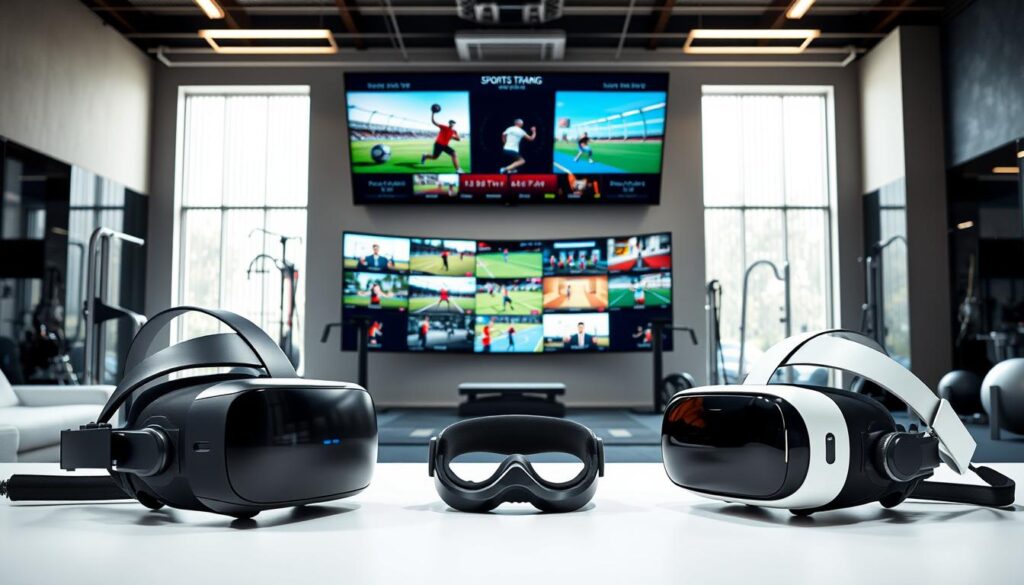
Your at-home practice setup also depends on how you interact with the virtual world. Choosing between controllers and hand tracking is important.
Controllers are the norm. They offer precise button input and haptic feedback. This is great for sports simulating equipment, like swinging a tennis racket or throwing a baseball. You feel a direct physical connection.
Hand Tracking is a new tech. It uses cameras to track your bare hands. This allows for very natural movement, perfect for sports like boxing, martial arts, or goalkeeping where your hands are the main tools. It removes the barrier of holding a device.
Think about your main sport. A basketball player might prefer hand tracking for passing drills. A golfer will need a controller to simulate a club. Many new systems, as noted in this introduction to VR in sports, support both modes.
No gear talk is complete without a safety check. A safe area prevents injury and lets you focus on training.
- Clear Your Playspace: Mark a boundary larger than your armspan. Remove trip hazards like rugs, cords, and furniture. A mat on the floor can help you feel the center.
- Use Wrist Straps: Always secure controllers to your wrists. In the heat of a virtual match, it’s easy to let go.
- Manage Session Length: Start with 15-20 minute sessions. Gradually increase as your VR legs develop. This is the best defense against simulator sickness.
- Recognize Sim Sickness: Symptoms include dizziness, nausea, or eye strain. If you feel them, stop immediately. Look at a fixed point in the real world and take deep breaths.
- Ensure Proper Lighting: Avoid direct sunlight on the headset lenses to prevent screen damage. Consistent, moderate room light helps tracking cameras work best.
This practical headset comparison and safety tips turn your living room into a viable training ground. The right gear, used wisely, makes your virtual reps count toward real-world improvement.
Sport modules: basketball reads, keeper angles, pitch recognition, tennis anticipation
VR sport modules help athletes improve key skills like reading a basketball defense or anticipating a tennis serve. They take virtual reality sports training to a new level, focusing on mental preparation. This creates a controlled space for athletes to hone their skills.
Each module targets a specific skill needed for top performance. This focus makes the technology valuable for athletes and coaches.
In basketball, VR modules enhance court vision and defensive reads. Athletes wear headsets and face simulated game scenarios. Virtual defenders move, and passing lanes change in real time.
Players must make quick decisions and execute passes or shots. This improves coordination and processing speed in a clean environment. It turns complex game analysis into a hands-on experience.
Soccer goalkeeper training focuses on reducing angles and quick reactions. Modules simulate attacks from various positions. Keepers must judge angles and react to the ball’s path.
This drill sharpens peripheral awareness and lightning-fast reflexes. It allows for many repetitions without straining the legs, focusing on the skill itself.
For baseball batters or cricket players, recognizing pitches is key. VR modules recreate the exact view of facing a pitcher or bowler. They train batters to identify pitch type, speed, and location quickly.
The brain learns to quickly filter visual cues from the pitcher’s release. This improves the time-to-decision, essential for hitting.
Tennis anticipation modules focus on serve direction and ball placement. Players respond to serves from a simulated opponent. The system can change serve types and corners randomly.
This enhances hand-eye coordination and predictive movement. Players learn to read the server’s body mechanics before the ball is hit.
The common goal is a sterile training environment. Real-world practice is full of variables. VR modules remove these, allowing athletes to focus on a single task.
Coaches can collect clean data on performance. These modules are tools for breaking down sports into mental components. They rebuild these components in a measurable way.
This is the power of modern virtual reality sports training. It’s a practical way to improve skills.
For industry professionals, understanding these applications is essential. It shows the demand for specialized software beyond entertainment.
6-week progression: blocked → random → game-like; logbook template
Effective at-home practice needs a system that gets more complex over time. It’s like how skills grow in real games. You start with simple drills and move to making quick decisions in game-like situations.
Motor learning science is the base. You start with blocked practice, doing the same drill many times. This builds a strong base. Then, you mix different skills in one session, making your brain work harder. Lastly, you practice in game-like scenarios that are unpredictable, just like real games.
This structured approach boosts skill transfer. It makes the skills you learn in VR useful in real games.
Focus on one skill per session. For example, only take three-point shots in basketball or only return serves in tennis. Aim for accuracy and consistency. Do 3-4 sessions a week, 20-30 minutes each. Record your baseline hit rate or reaction time.
Phase 2: Weeks 3-4 – Random Practice (Adaptation)
Now, mix different drills in one session. A VR soccer module might switch between shooting, passing, and defensive headers at random. Your brain must adapt quickly to different skills. This is harder but leads to better learning and skill transfer to chaotic situations.
Phase 3: Weeks 5-6 – Game-Like Scenarios (Application)
Use the most advanced modes your VR software has. This could be a full virtual scrimmage with AI opponents or a reaction drill with random cues. The conditions should be as challenging as real games. This phase makes your skills more solid.
Using the right tools is key, as research shows. Sticking to this at-home practice schedule is important for seeing progress.
The Accountability Logbook
Professionals treat training like a business. They track their progress. A simple logbook makes practice measurable. It’s inspired by structured protocols used in studies.
Your log should include both objective metrics and how you feel. This review helps you adjust your focus. It makes every session count.
| Date | VR Module / Drill Type | Phase (Blocked/Random/Game-like) | Key Metric (e.g., Hit Rate %) | Subjective Notes (Focus, Fatigue) |
|---|---|---|---|---|
| MM/DD/YYYY | Basketball: Spot-Up Shooting | Blocked | 68% | Felt rhythm was good, legs fresh. |
| MM/DD/YYYY | Soccer: Keeper Reaction Mix | Random | 1.2 sec avg. reaction | Challenging to switch angles quickly. |
| MM/DD/YYYY | Tennis: Match Simulation | Game-like | Won 2 of 3 sets | Anticipation improved in later sets. |
| MM/DD/YYYY | Pitch Recognition: Baseball | Random | 85% correct call | Struggled with breaking balls. |
Use this template as a starting point. Writing it down builds discipline. Over six weeks, you’ll track your progress from isolated drills to game-ready performance.
Metrics: hit rate, time-to-decision, gaze stability, HR recovery
For those who love data, VR sports training shines. It goes beyond just feeling good. It gives you hard numbers to track progress and make smart changes.
Top VR training software tracks key metrics. Each one shows a different part of your athletic skills. Together, they give a full picture of how you’re improving.
- Hit Rate (Accuracy): This shows how precise and consistent you are. In drills like basketball or tennis, it’s how often you hit the mark. A higher hit rate means you’re getting better at doing things right, every time.
- Time-to-Decision (Reaction Time): This is about how fast you react. It’s the time from seeing something happen to when you act. Faster reaction time means you’re quicker in sports, where every second counts.
- Gaze Stability (Visual Focus): This uses motion tracking to see where you’re looking and how steady. In sports like baseball or hockey, keeping your eyes on the ball is key. If you’re not, it might mean you need to work on staying focused.
- HR Recovery (Conditioning): This looks at how fast your heart rate goes back to normal after intense VR training. It shows how fit you are. Faster recovery means you’re in better shape, ready to go again sooner.
This data changes how training is planned. Instead of just practicing, you can work on specific skills. For example, if you’re quick but not accurate, you can focus on that.
This is what makes VR special for businesses and athletes. It’s not just fun; it’s a tool for tracking and improving. You’re selling results, not just a game. This data proves your product works, better than any review.
Content creation: capture highlights, share with coach
Virtual reality sports training does more than just physical reps. It lets you record and analyze every play. This turns solo practice into a treasure trove of data for improvement.
Most VR systems have a built-in recording feature. With just a command, you can save key moments from your session. These recordings offer a unique view, often from a third-person or coach’s perspective.
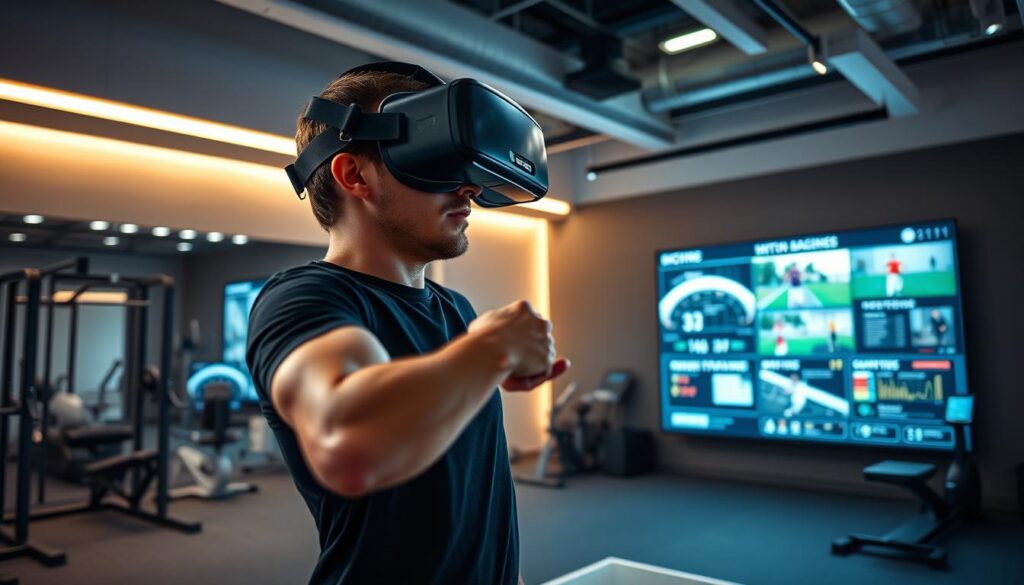
This outside view changes how you analyze yourself. It shows your form, position, and timing as a coach would see it. You’re no longer just relying on muscle memory. You have visual proof of your actions during at-home practice.
Sharing these clips is where the real magic happens. It connects your solo at-home practice with expert coaching from afar. Athletes can send a 60-second clip to their coach for feedback.
Coaches can offer insights that were hard to get before. They can look at:
- Technical Form: Is the shooting arc right? Is the goalkeeper’s dive correct?
- Decision-Making: Was passing the right choice? Could a different defensive angle have been better?
- Anticipation Cues: Did the athlete react to the opponent’s moves in time?
This creates a loop of feedback. An athlete does a VR training module at home. They record key moments and share them with their coach. The coach reviews it and sends back feedback. The athlete uses this feedback in their next session.
For business pros looking at this tech, content creation is key. When picking a virtual reality sports training platform, check its recording and sharing features. A system that makes it easy to review and coach together offers more value.
This change points to a future where athlete development is more collaborative and tech-driven. Virtual reality sports training is not just about reps. It’s about creating a record of those reps. It turns every home practice into a chance to learn and grow, no matter where you are.
Career paths in VR/biomech
Beyond the headset and drills lies a growing industry full of chances. Virtual reality and advanced motion tracking are creating new career paths. For entrepreneurs and experts, this is a time of growth and innovation.
This field needs people with different skills. It combines sports science, software engineering, and data analysis. Let’s look at the main roles that are shaping this future.
Emerging Roles and Required Skills
- VR Training Software Developer: These engineers create the immersive environments and realistic physics. They need to know game engines like Unity or Unreal and understand sport-specific mechanics.
- Sports Data Analyst (VR Metrics): This role involves interpreting data from training sessions. They turn metrics like gaze patterns and reaction times into insights for coaches and athletes.
- Biomechanics Consultant for Movement Digitization: Experts who turn real-world movement into digital models. They ensure the VR simulation provides valid kinematic feedback, making training scientifically sound.
- VR-Focused Training Facility Entrepreneur: Visionaries who start studios or add VR systems to gyms. They manage the business, client training programs, and the latest tech.
For entrepreneurs, there are several business models to choose from. Your choice depends on your skills, budget, and target market.
| Business Model | Core Focus | Example Venture |
|---|---|---|
| Service-Based | Providing direct training, analysis, or consulting services to athletes or teams using existing VR platforms. | A mobile VR training clinic for youth soccer clubs. |
| Product-Based | Developing and selling proprietary software, specialized equipment, or data analysis tools. | A startup creating a tennis anticipation app for Meta Quest. |
| Hybrid Facility | Operating a physical location where clients access high-end VR training alongside traditional methods. | A performance center with VR batting cages and biomechanical assessment. |
The key skills for these careers include spatial analytics and understanding sensor technology. Knowing the details of different systems is important. For example, a smart headset comparison is key for choosing reliable hardware.
This industry values problem-solvers. Whether you’re coding, analyzing data, or coaching, you’re at the forefront of peak performance and cutting-edge tech. The path is being built now by those who see the value in digitizing human movement.
Risks: sim sickness, privacy; safe-use rules
Using VR for sports training comes with some risks. It’s important to use it safely and wisely to get the most out of it.
Simulator sickness is like motion sickness and can ruin your training. It happens when your body and what you see don’t match up right away. Start with short sessions, like 10-15 minutes, to avoid it. Make sure your headset fits well and is set up right for your eyes.
Younger people might get sick more easily, so they need to get used to VR slowly.
Privacy is also a big deal. Places like Meta Quest or STRIVR might track how well you’re doing. Know what data they’re collecting and check their privacy policy. It’s important to know who has your training data and to handle it ethically.
Make sure to have rules for safe use. Don’t play for more than 30-45 minutes at a time. Take a five-minute break every 20 minutes. Keep a clear area around you and drink water to stay alert.
By dealing with these risks, you can trust VR for training. This careful approach helps you learn skills that you can use in real life.